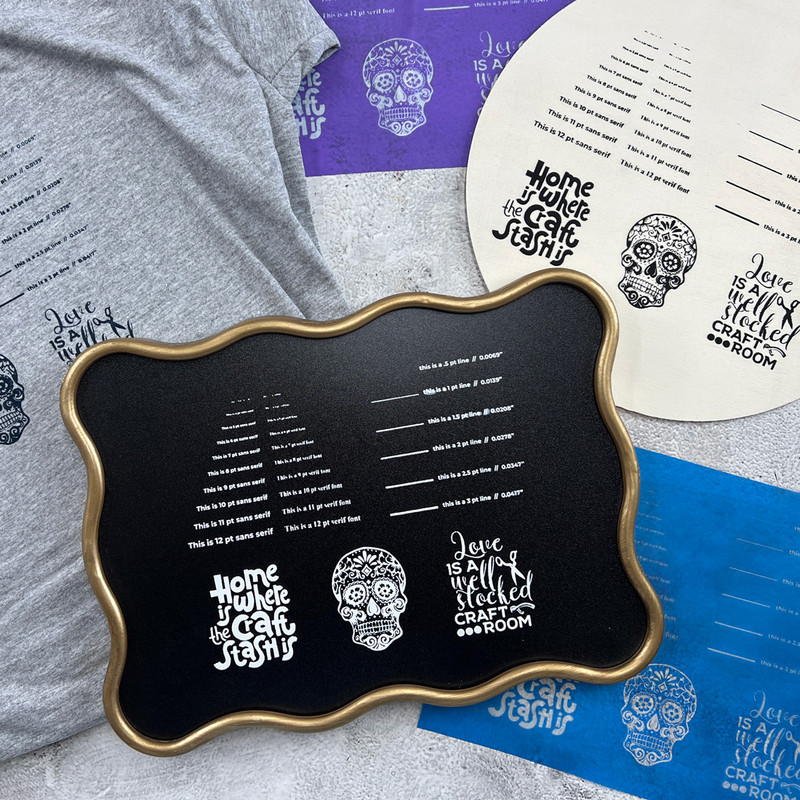
Wondering how small of a font your Ikonart stencil can hold? Or how thin of a line you can really use before details start to break down? That is exactly why running a print test is so helpful.
When you are designing artwork for reusable Ikonart stencils, tiny details can make a big difference. A font that looks perfectly readable on your computer screen may be too small to wash out cleanly. A delicate line may look beautiful in your design file, but not hold up once you expose, wash out, and use the stencil on a real surface. A simple print test takes the guesswork out of the process.
In our latest YouTube video, we walk through how to use the free Ikonart Print Test SVG to see what level of detail your personal setup can handle. We tested fine lines, small fonts, blue film, purple film, and several surfaces so you can get a better idea of what works and why results may vary from one crafter to another.
WATCH VIDEO: Craft Test Lab - Ikonart Print Test
Why run a print test?
Every at-home setup is a little different. Even if two people use the same Ikonart film, they may not get the exact same results. That is because stencil detail is affected by a combination of things, including:
- how dark your positive prints
- your printer settings
- exposure time
- how well your artwork and film are pressed together
- water pressure during washout
- water temperature
That means there is no one-size-fits-all answer to questions like:
- What is the smallest font I can use?
- How thin can my lines be?
- Will this level of detail work on fabric?
- Can my setup hold fine serif lettering?
A print test gives you real answers based on your own equipment, your own workflow, and your own conditions. Instead of guessing before a project, you can test once, learn your limits, and design with more confidence.
READ MORE: 7 Mistakes To Avoid When Making Ikonart Stencils
What the Ikonart Print Test helps you measure
The Ikonart Print Test SVG is designed to show how well your setup handles detail in a few important ways.
1. Small font sizes
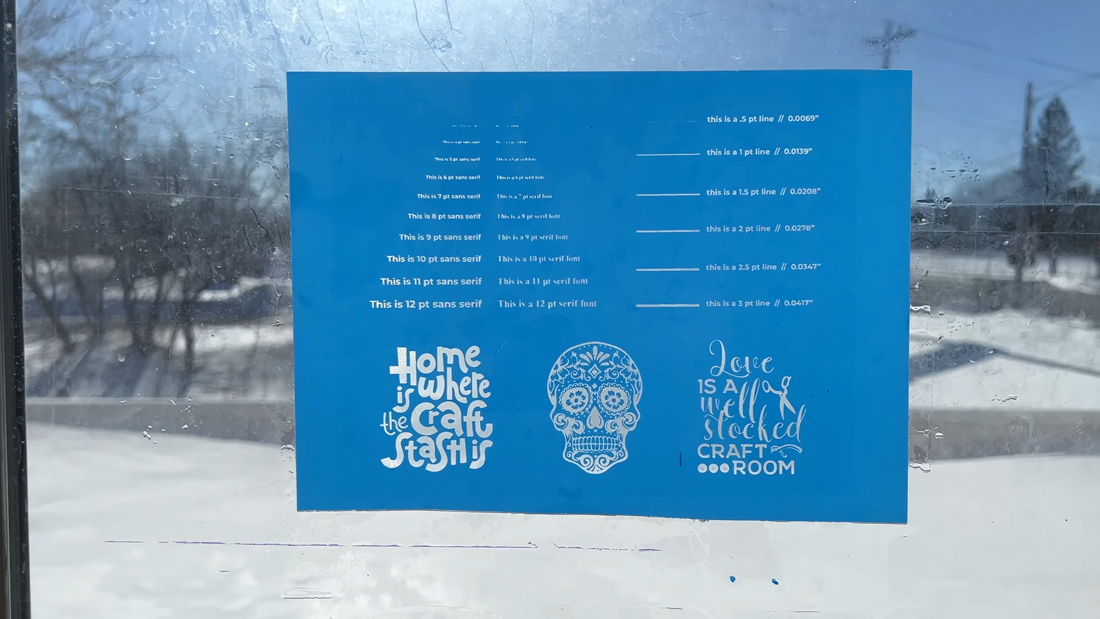
Some fonts are naturally easier to hold than others. A bold sans serif font usually exposes and washes out more cleanly than a thin serif font with tiny connecting points and delicate strokes. This test helps you compare how readable different font sizes are after the stencil is actually made, not just while looking at the design on your computer.
2. Thin line weights
Very thin lines can be hard to hold because there is such a small margin for error. If your positive is not dark enough, if your exposure is slightly off, or if your washout pressure is too aggressive, the finest details may not come through cleanly. The test includes multiple line weights so you can see where your setup performs well and where you may need to thicken artwork before starting a project.
3. Real-world surface performance
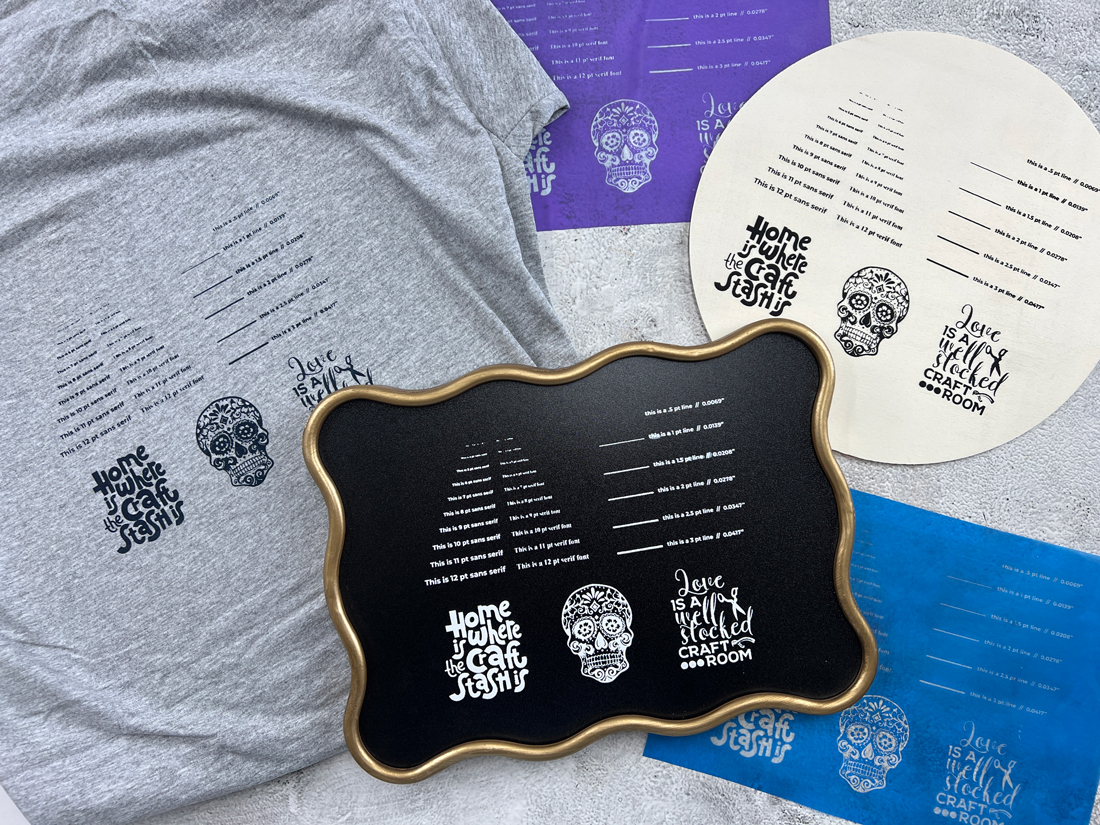
A stencil might look good when you inspect it in the light, but your final results can still vary depending on the surface and medium you use. Wood, fabric, and chalkboard all behave a little differently. A textured surface may soften detail. Ink and paint can also affect how crisp the result looks. That is why it is helpful to test not only the stencil itself, but also the actual finished print.
How to run your own Ikonart print test
The process is simple, and once you do it one time, you will have a much better understanding of what your setup can handle.

Download the free test file
Start by downloading the free Ikonart Print Test SVG from our Free Artwork page and saving it to your computer. Open the file in your design program of choice. In the video, we used Vectr and created a new 8.5" x 11" artboard so the file would print at the correct size.

Prepare the artwork for printing
Before printing, double check that your artwork is set to print at 100% size with no scaling. If you normally mirror your artwork when making stencils, do that before printing. The goal is to create a dark, accurate positive that blocks light well during exposure. In the video, we used a Canon Pixma iX6820 and adjusted the printer settings for a slower, darker, higher-quality print.
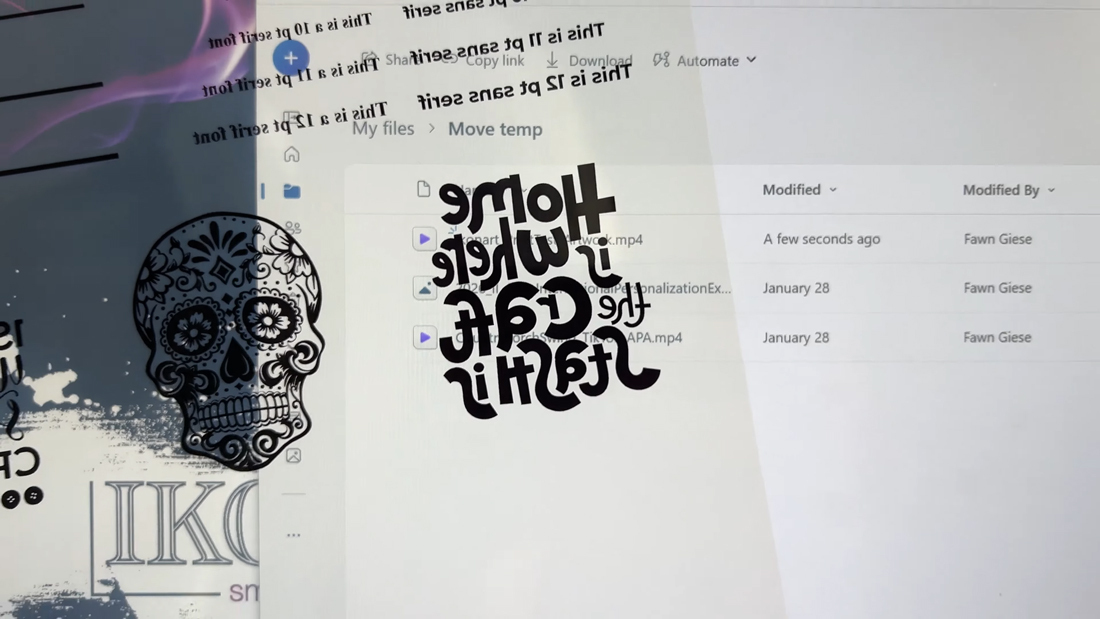
A good positive should look very dark when held up to the light. If you can easily see through the black areas, your print may not be dense enough to hold the finest details.

Expose the stencil carefully
Once your positive is printed, place it tightly against your Ikonart film and use the clear cover sheet to help press everything together. This step matters more than people often realize.
If there is any gap between the artwork and the stencil film, light can sneak under the edges. That can cause undercutting, where fine lines and tiny text lose sharpness or fail altogether. In the video, we exposed the stencil for 35 seconds as part of our test. Your ideal exposure time may vary depending on your light source and setup, which is another reason print testing is so valuable.
Soak and wash out
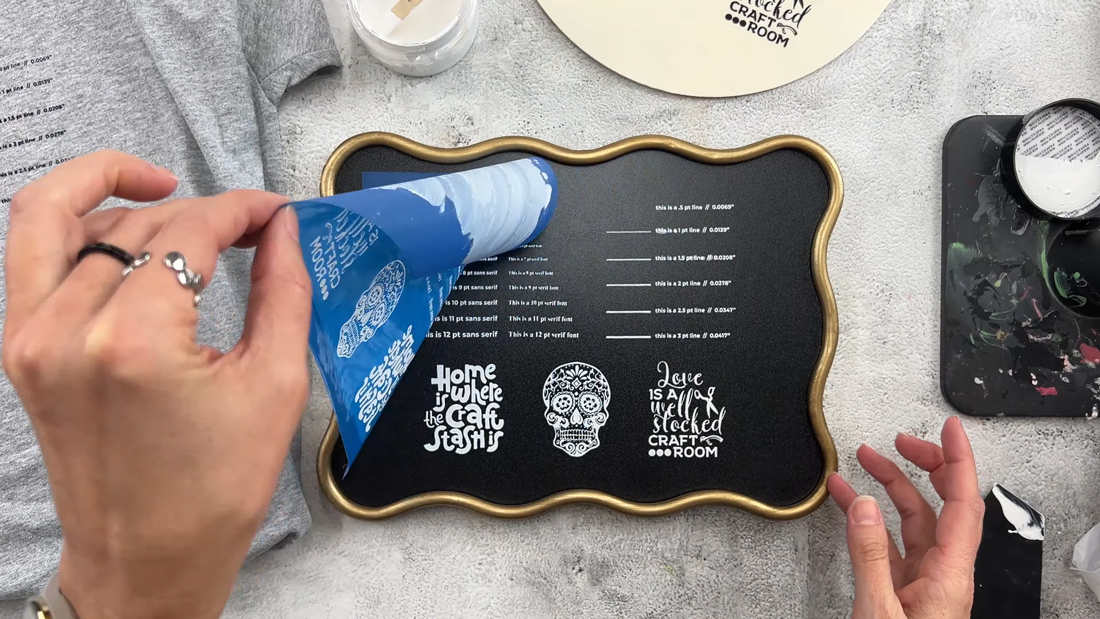
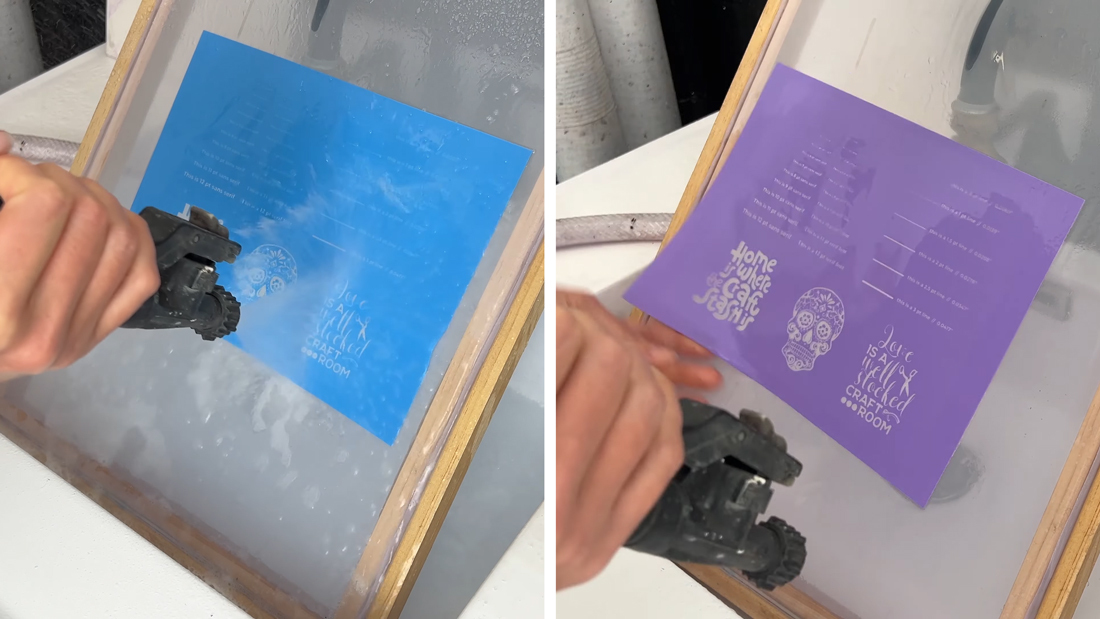
After exposure, soak the stencil briefly in warm water before washing it out. In our test, we soaked the stencil for about one minute and used a clipboard to cover it while soaking so room light would not continue hardening the stencil.
Then we washed it out with warm water using the Ikonart Trigger Jet Nozzle. Good water pressure helps a lot, especially when you are trying to open very fine details. As you wash out, keep the spray moving rather than focusing on one tiny area for too long. Larger open areas usually clear first, while the smallest details may take longer. Inspect the stencil as you go, especially when testing tiny fonts and thin lines.
Dry and post-expose
Once the stencil is washed out and fully open, dry it completely and post-expose it. Post exposure hardens the stencil so it is ready for use and reuse. In the video, we post-exposed for two minutes before moving on to surface testing.
Why different people get different results
This is one of the biggest takeaways from the video: your results may not match someone else’s exactly, and that is normal.
1. Positive darkness
This is one of the most important factors. If your positive is not dark enough, more light can pass through the printed areas during exposure. That makes fine details harder to wash out cleanly and can cause thin lines or small letters to disappear. A dark positive gives you more accurate stencil detail.
2. Printer settings
Even with the same printer model, results can vary depending on print quality settings, media type settings, ink levels, and whether the print is being scaled. If your printer outputs the page very quickly, that can be a sign it is not laying down as much ink as needed.
3. Exposure conditions
Too much exposure can make fine details hard to wash out. Too little exposure can leave the stencil weak. That balance becomes especially important when you are working with tiny fonts and thin lines.
4. Washout pressure and technique
A weak sprayer may struggle to open very fine details. On the other hand, washing too aggressively in one area can damage delicate sections. Water temperature matters too. Warm water helps soften the unexposed areas so they wash out more easily.
5. Film type
In the video, we tested both blue and purple Ikonart stencil film. The blue film held slightly finer detail, while the purple film gave very similar results overall. Because purple film has a thicker adhesive and thicker mesh, the finest detail may behave a little differently compared to blue. That does not mean one is universally better than the other. It just means detail capability can shift slightly depending on which film you use.
6. Font style
Font choice matters just as much as font size. A thicker sans serif font will usually hold better than a thin serif font at the same point size. Tiny serifs, hairlines, and decorative elements can be much harder to expose and wash out cleanly.
7. Surface texture
Even if your stencil holds the detail, the final print can still look different depending on the surface. Smooth surfaces usually show cleaner detail. Rougher or more textured surfaces can break up ultra-fine lines or make tiny text less readable. That is why we recommend testing on the actual type of surface you plan to use when detail is important.

What we found in our test
In our setup, a 1-point line held reliably, while a 0.5-point line did not. For fonts, a thicker sans serif style held much better at small sizes than a thinner serif font. We were able to go quite small with the sans serif text, while the serif font started to struggle sooner. The most important part here is not the exact number. It is understanding that these results reflect one specific setup.
Your printer, your exposure light, your washout pressure, and your working conditions may allow you to hold more detail or less detail than we did. That is why doing this test yourself is so useful.

How to use your results in real projects
Once you know what your setup can hold, designing becomes much easier. If your test shows that very thin lines do not hold well, you can thicken them in your design software before making the stencil. If tiny serif fonts look weak or inconsistent, switch to a bolder font or increase the text size.
If your stencil looks good but the finished project loses detail on a textured surface, simplify the design or adjust your expectations for that material. A print test helps you make these decisions before you waste time and materials on a full project.
A small test can save a lot of frustration
If you have ever wondered why a design looked good on screen but did not turn out the way you expected as a stencil, this is the answer: fine detail depends on your entire process, not just the artwork file. Running a print test is one of the easiest ways to improve your results.
It helps you understand your setup, avoid unnecessary trial and error, and create artwork that works better the first time. Download the free Ikonart Print Test SVG and try it with your own setup. Test your film, your printer settings, and your favorite surfaces so you know exactly what level of detail you can count on.
And if you have questions, leave us a comment on the video or post in the Ikonart Crafters Group on Facebook. We are always happy to help.